How to Activate Your Podcast Website on Riverside (FREE)

If you're hosting your podcast with Riverside, there's a feature that's been highly requested since the hosting service launched — you can now create a website for your podcast directly on the platform. It only takes a couple of clicks, and you'll have a landing page to share your podcast with the world.
How to Create Your Podcast Website
Start by going to your studio — the one where you record and host your podcast. Navigate to the Hosting tab. Across the top, you'll see the platforms where your podcast is distributed. If you don't see a website option, look for the plus (+) menu and click it — you'll find Create Website right there.
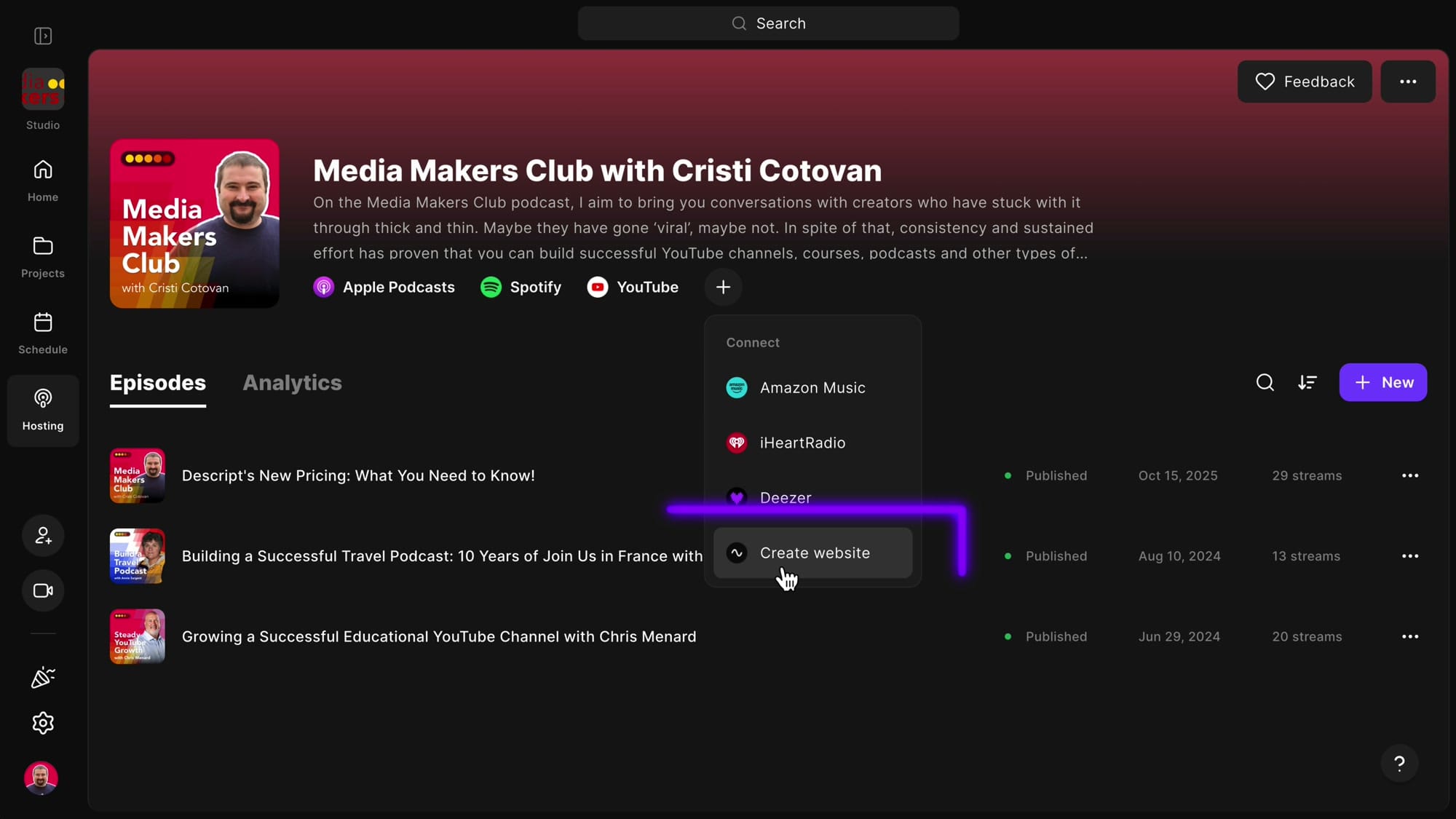
Click Create, and Riverside suggests a subdomain based on your podcast name. The URL ends with riverside.com — for example, yourname.riverside.com. You can customize it to something shorter, but it must be unique. You can also redirect a custom domain through your DNS settings if you prefer a branded URL.
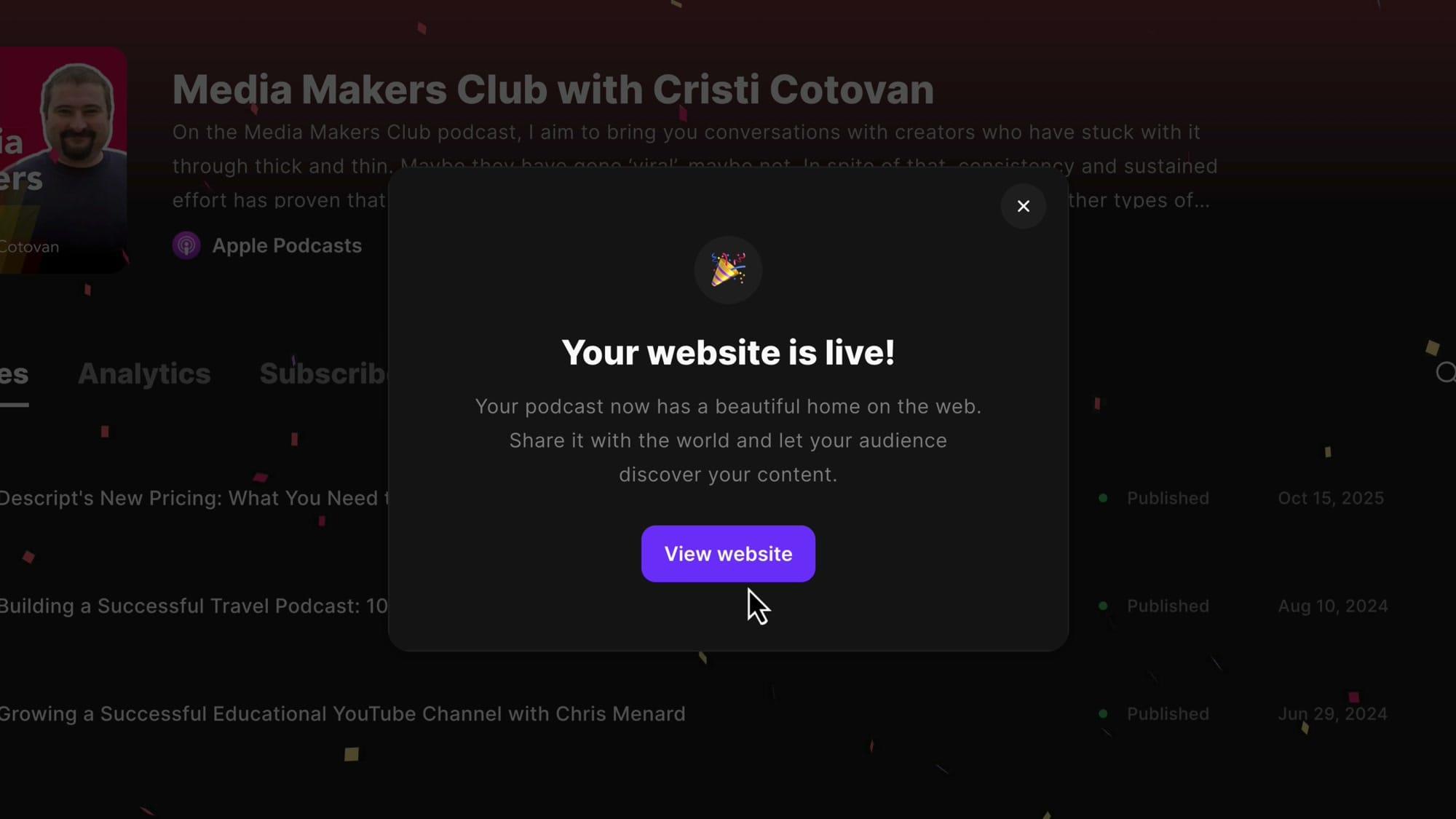
Once you pick an available name, your website is instantly live.
What Your Podcast Website Includes
The website comes with several useful features right out of the box.

The homepage displays your podcast artwork, description, and links to distribution platforms like Apple Podcasts, Spotify, and YouTube. Episodes are organized under Recent and Popular tabs.
Each episode gets its own dedicated page with the artwork, a play button (for video episodes, listeners can play them right in the browser), and the full episode description with all the links you've added.
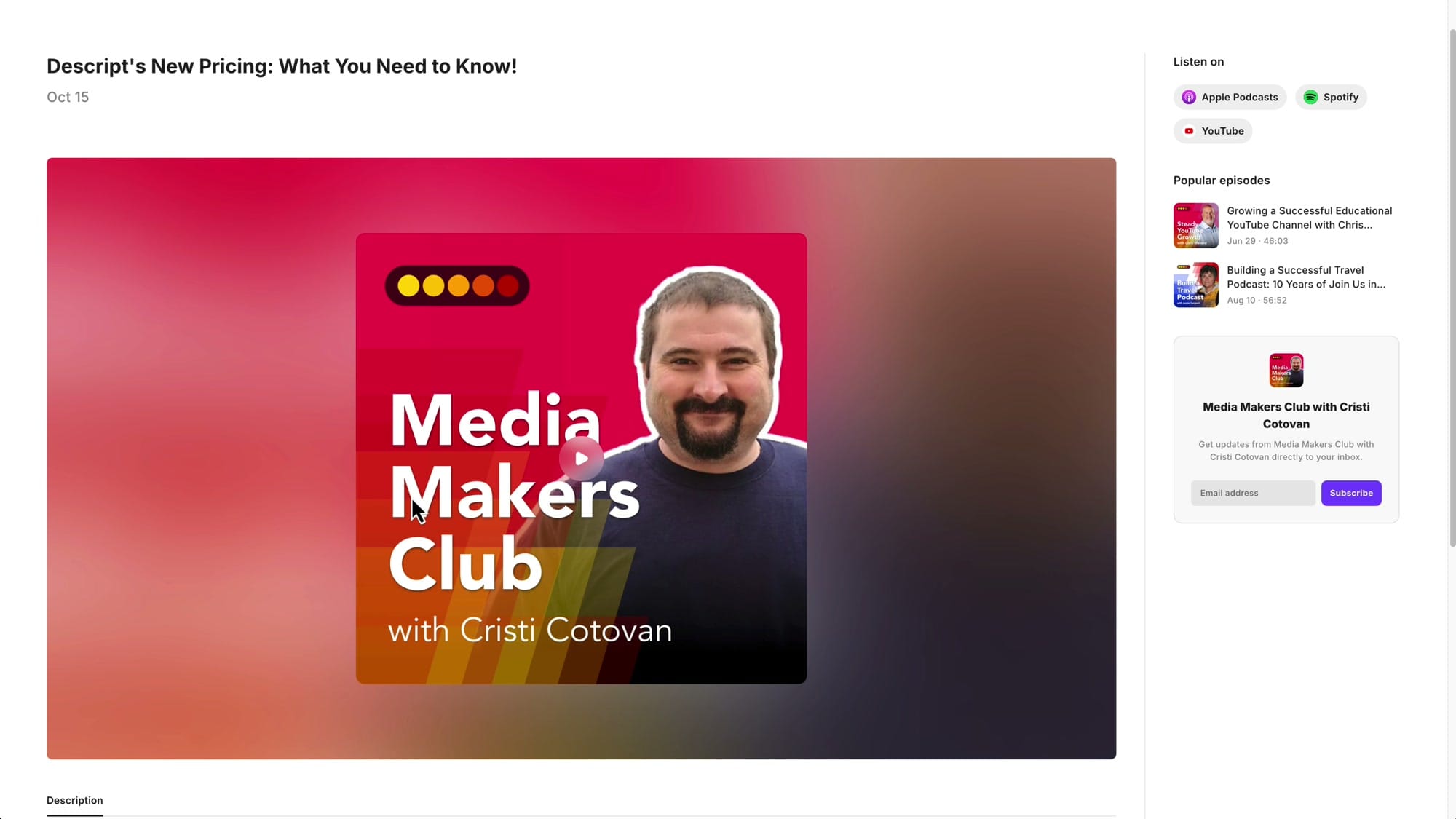
The website also includes dark and light mode, a search function to find episodes, an About page pulled from your hosting settings, and sharing options so listeners can copy the link or share on social media.
Listeners can subscribe with their name and email address to get notified when you publish new episodes — they'll need to verify their email through a confirmation link.

How to Export Your Subscribers
A common question I've seen on social media: do you have access to the email addresses of people who subscribe through your podcast website? The answer is yes.
Back in your Riverside studio, click the Website link in the Hosting tab. You'll see the option to Export subscribers (.csv).

Download the file and you'll get a spreadsheet with all your subscriber data — email addresses, full names, country, and subscription date.

This is a great way to build a direct connection with your listeners outside of the podcast platforms. If you're already hosting your podcast on Riverside, creating a website takes just seconds and gives your show a professional home on the web.
Related guides
 Cristi Cotovan
 Cristi Cotovan
 Cristi Cotovan
If you're eager to learn more about Riverside and wish to have a one-on-one Riverside coaching session, feel free to book a call with me. I'm here to help you with any questions you have and to guide you through the best workflows, tips, workarounds, or just answer any questions you may have!