auphonic
Auphonic Is Now Inside DaVinci Resolve Studio
I use Auphonic on almost every project I edit. Its new Resolve Studio plugin sends dialogue straight from my timeline and brings the cleaned audio back in sync.

Video editor and coach: teaching Descript, Riverside.fm, Camtasia, DaVinci Resolve and more! Book a call with me at: https://cotovan.com/coaching

auphonic
I use Auphonic on almost every project I edit. Its new Resolve Studio plugin sends dialogue straight from my timeline and brings the cleaned audio back in sync.

Riverside.FM Articles
Smart Layouts is the Riverside feature that does your camera switching for you. If you edit interviews with one or two guests, it can create the scenes, put people side by side, cut to whoever is talking full screen, and go back to side by side again — without you placing
Riverside.FM Articles
You may have noticed a small improvement in the Riverside editor: Jump to Start and Jump to End buttons on the timeline. They don't sound like a big deal, but editors have asked for them for a long time, and I was honestly surprised they weren't

auphonic
I use Auphonic every day, on almost every project I edit, and I’ve been doing that for years. Today I got an email saying I’d reached Loyalty Level 2. That was a nice surprise! For me, that means I can put six more hours of audio through Auphonic
Riverside.FM Articles
For every podcast episode I produce, I write two versions of the show notes. The first is long: a story-style summary with quotes from the guest, small anecdotes from the conversation and the guest's bio. That version becomes the blog post that goes on the website with
Riverside.FM Articles
When I edit my podcast in Riverside, crosstalk is one of the things I have to fix often. We talk over each other, we interrupt each other, and sometimes I simply can't help myself and jump in before my guest has finished his sentence. The new Riverside editor
Riverside.FM Articles
When I edit a multi-track interview podcast in Riverside, one of the last decisions I make is where the camera changes. Who is on screen, when do I cut to the guest, and when do I come back to both of us? Everybody has their own style for this,
Riverside.FM Articles
Filler word detection in Riverside has been improved. It now detects more kinds of filler words and more audio events, tags them in your transcript as soon as the transcription finishes, and gives you a review panel where you can listen to each suggestion and decide what happens to it.
camtasia
My recap of TechSmith Unlocked 2026: what’s available now, what’s coming next, and how to access the features across the suite.
Riverside.FM Articles
"Can we zoom and pan? Can we move the screen left or right? Can we create those little camera dolly moves in and out?" I have heard these questions from Riverside users for a long time, and the answer is finally yes. Riverside now has a Zoom &
Riverside.FM Articles
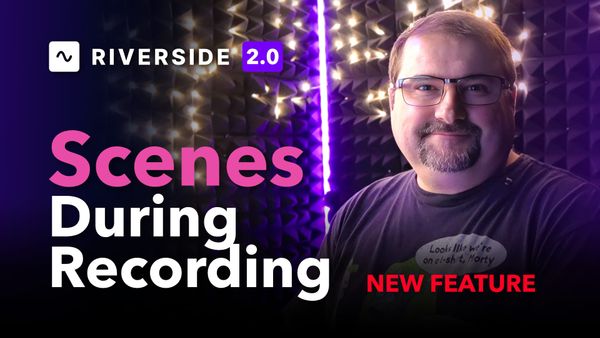
If you have ever gone live from Riverside, you know the juggling act. One minute it is just you on camera, the next you are sharing your screen, then a guest joins and you want the two of you side by side. Every one of those changes used to mean

DaVinci Resolve
DaVinci Resolve 21.1 brings a long list of improvements to editing, colour grading, media management and Fusion. Some will save a few clicks every day. Others open up a different way of working with your projects.