camtasia
Camtasia Pro Unlocked 2026: What’s New and Coming in Camtasia, Snagit, Audiate and the Rest of the Suite
My recap of TechSmith Unlocked 2026: what’s available now, what’s coming next, and how to access the features across the suite.

camtasia
My recap of TechSmith Unlocked 2026: what’s available now, what’s coming next, and how to access the features across the suite.
camtasia
The Media Matte effect in Camtasia is one of the most powerful visual effects available, yet its name can be a bit misleading. In simple terms, Media Matte is just a mask — it lets you show only a specific portion of your video or image by placing a shape on
camtasia
Need to switch your Camtasia project from landscape to portrait — or vice versa? This quick tip shows you how to change the canvas orientation, resolution, and aspect ratio in just a few clicks using Project Settings. The Default: Horizontal (16:9) When you create a new project in Camtasia, it
camtasia
Want to turn your horizontal Camtasia recordings into vertical clips for TikTok, Instagram Reels, or YouTube Shorts? This quick tip walks you through the entire process in under a minute. Step 1: Import Your Video Start by importing your video clip into the Media Bin. Drag it onto the timeline
camtasia
Did you know you can rearrange the tools in Camtasia's left sidebar? If there are panels you use more than others, you can drag them to the top so they're always within easy reach. Here's how. The Default Tool Order Camtasia ships with a
camtasia
You can import your slides, narrate them one by one at your own pace, enhance the audio, and organise everything with markers for easy navigation.
camtasia
When you add background music to a Camtasia project, you often need the music to get quieter when someone is speaking and come back up during pauses. This is called audio ducking, and Camtasia makes it easy with the Audio Emphasize effect. What Is Audio Ducking? Audio ducking automatically lowers
camtasia
Getting clean audio transitions in Camtasia is essential for professional-sounding videos. Whether you need a smooth fade in at the start, a fade out at the end, or precise volume control throughout your project, Camtasia's audio tools make it straightforward. Setting Up Your Audio Start by importing
camtasia
Camtasia has a lot of animation presets, but you don't need all of them. In this tutorial, I'll show you the 3 animations I use the most — and how to add them to your Favorites for quick access. 1. Custom Animation The Custom animation is the
camtasia
Techsmith just announced a set of pre-built library assets that allow you to create audio visualizers to your projects - assets that react to audio (music or speech) and can be customized.
camtasia
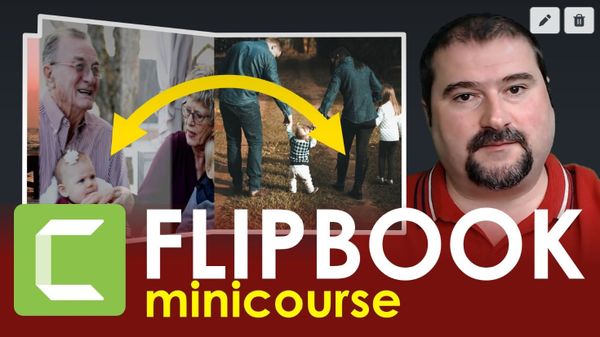
I set out to create a realistic, 3D-looking, animated, reusable flipbook only with Camtasia, and I recorded the whole process for you. So here it is, for your viewing pleasure, a minicourse teaching you how to create an animated flipbook in Camtasia from scratch. You will end up with
camtasia
A cool 'Hollywood' effect in my latest Camtasia video. I demonstrate how to create a cinematic text expanding effect where the distance between the letters of a word increases as time goes on. While Camtasia allows for vertical and horizontal spacing changes for words and letters, it'