
How to Play a Video Clip Inside a Phone Frame in Premiere Pro

Placing a video clip inside a phone or device frame is a popular technique for product demos, app showcases, and social media content. In Adobe Premiere Pro, you can achieve this using a PNG phone frame with a transparent screen area and an opacity mask to clip your video to fit perfectly inside it.
Setting Up the Layers
You'll need two assets: a phone frame PNG with a transparent area where the screen is, and the video clip you want to display inside. Import both into your Premiere Pro project. Create a new sequence, then drag your video onto the V1 track and the phone frame PNG onto V2 (above the video).
Select the phone frame on V2 and use Effect Controls > Motion > Scale to resize it so it sits naturally over your video. Position it where you want the phone to appear in the final composition.
Creating the Opacity Mask
Now select the video layer on V1. In Effect Controls, find the Opacity section and click the Free Draw Bezier pen icon to create a custom mask shape.
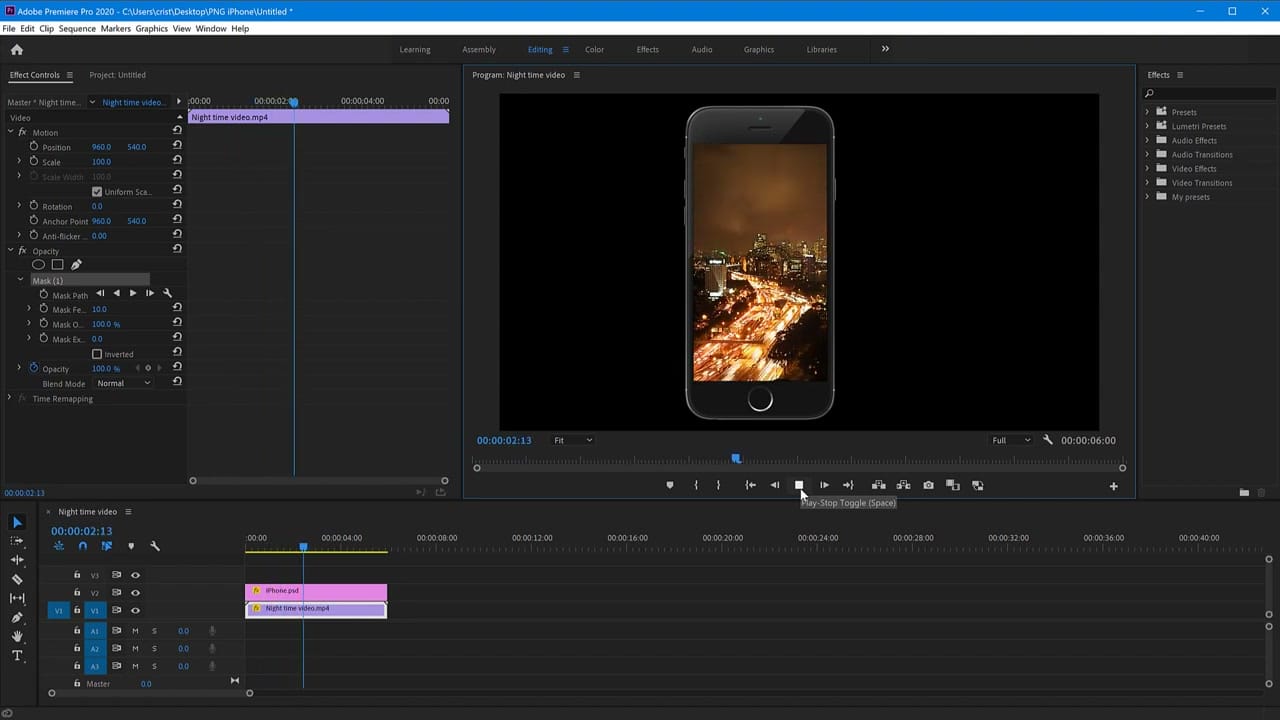
Click on each corner of the phone's screen area in the Program Monitor to draw the mask shape. You're essentially tracing the outline of the transparent screen region. The mask hides everything outside the shape, so only the portion of the video inside the phone screen remains visible.
Adjust the Mask Feather slightly (1-2 pixels) for cleaner edges that blend naturally with the phone frame. If you've done masking in Camtasia, the concept is similar — you're defining a visible area for the video layer.
Nesting for Combined Scaling
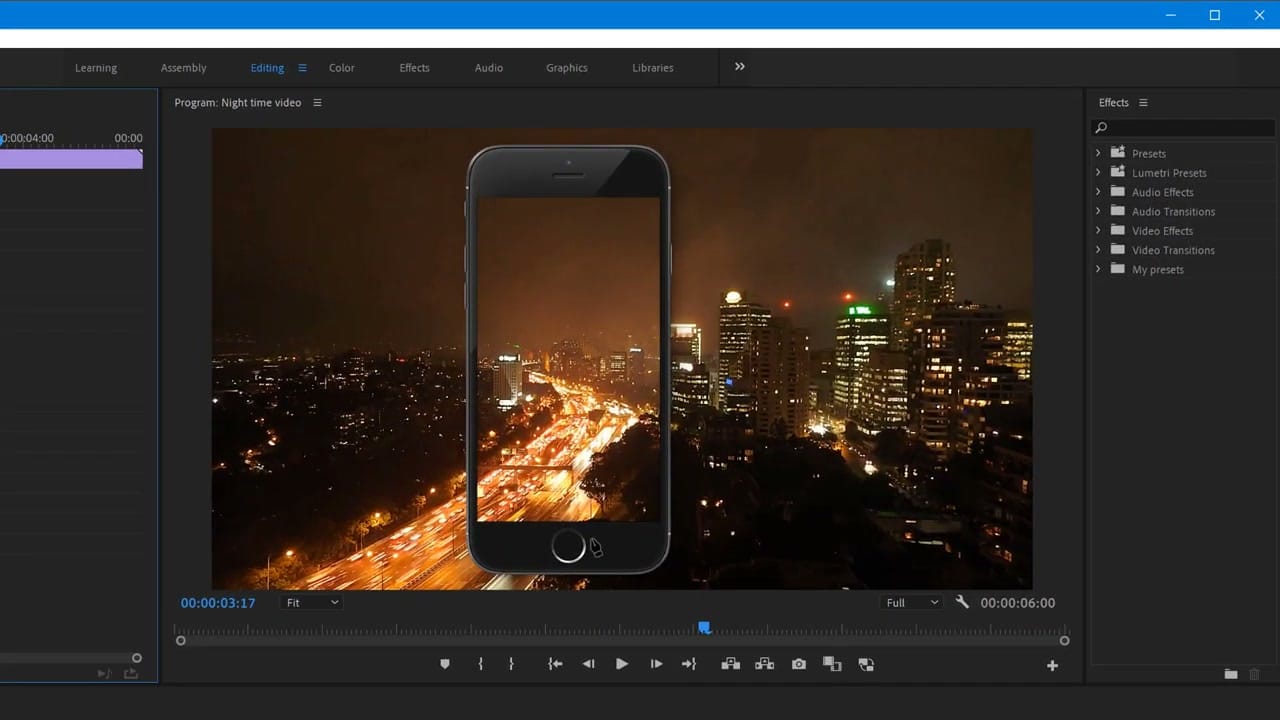
Once the mask looks right, you may want to scale or animate the entire composition — phone frame and video together. To do this, select both clips, right-click, and choose Nest. This combines them into a single nested sequence that you can scale, rotate, and position as one unit.
Related guides
 Cristi Cotovan
 Cristi Cotovan
 Cristi Cotovan
This same technique works for tablets, monitors, or any custom device frame — just swap out the PNG. You can also use it for scene transitions where the video zooms into a device frame.